
Exporting your videos the right way
TrackStat is a standalone web app — it doesn't sync with your phone. Here's how to get a clean, full-quality clip ready to upload.
TrackStat is a standalone web app. It doesn’t plug into your phone’s camera roll or sync with an app in the background — you upload a video file to the website, then mark it up there. That means the one thing that matters before you start is getting a clean, full-quality clip out of your phone or camera. Here’s how.
Why the export step matters
Phones are helpful in a way that works against you here: when you share a video, they often compress it to save space or data. A compressed clip loses the fine detail between frames — exactly the detail you need to read contact and flight times accurately. The fix is simple once you know it.
iPhone
Two things to get right on iPhone:
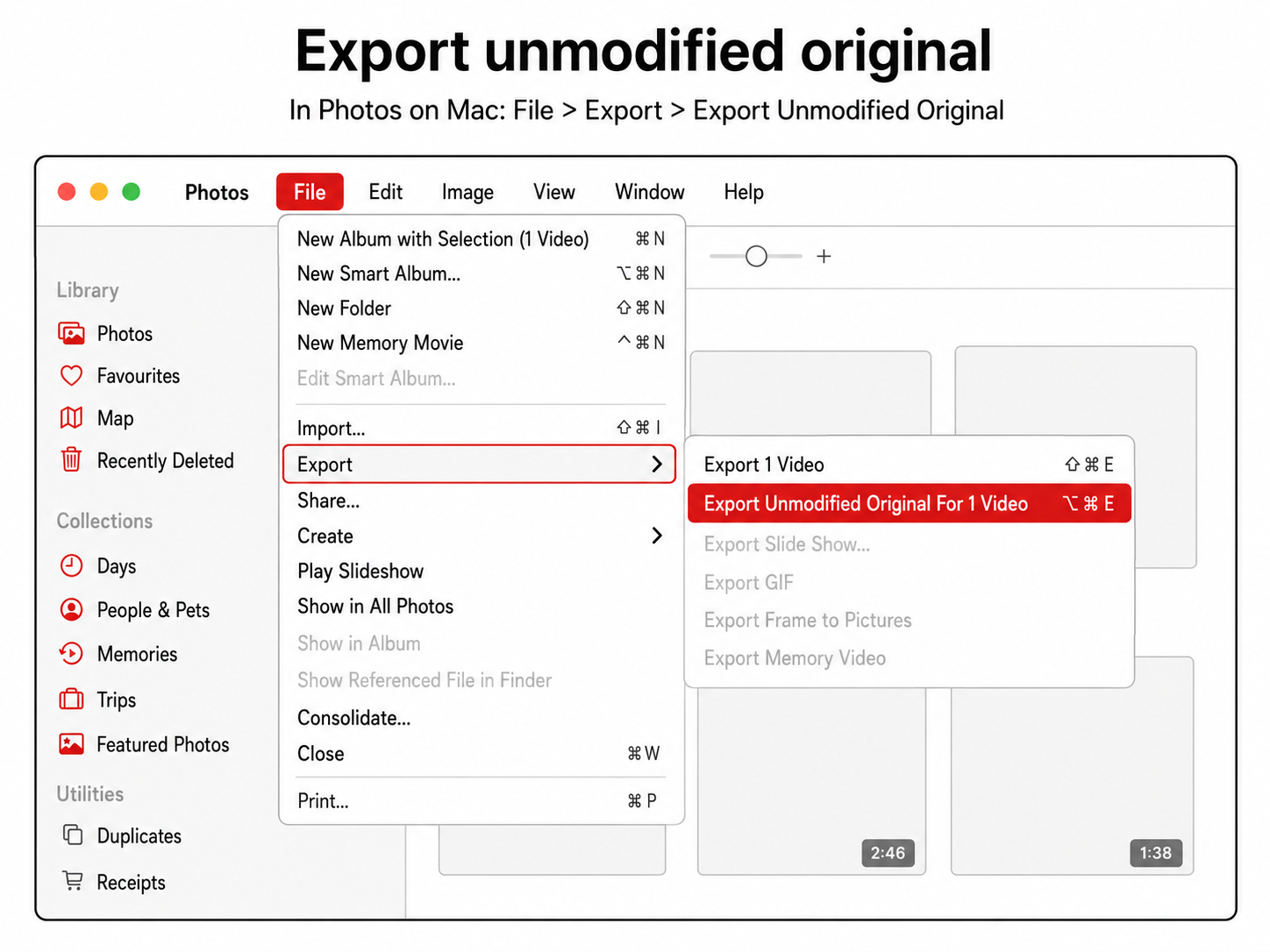
- Export unmodified / full quality. When you share or save the clip, choose the option that keeps the original — on iPhone this is “Export Unmodified Original” (via the Files app or a share sheet). Don’t AirDrop or message it to yourself, as that re-compresses it.
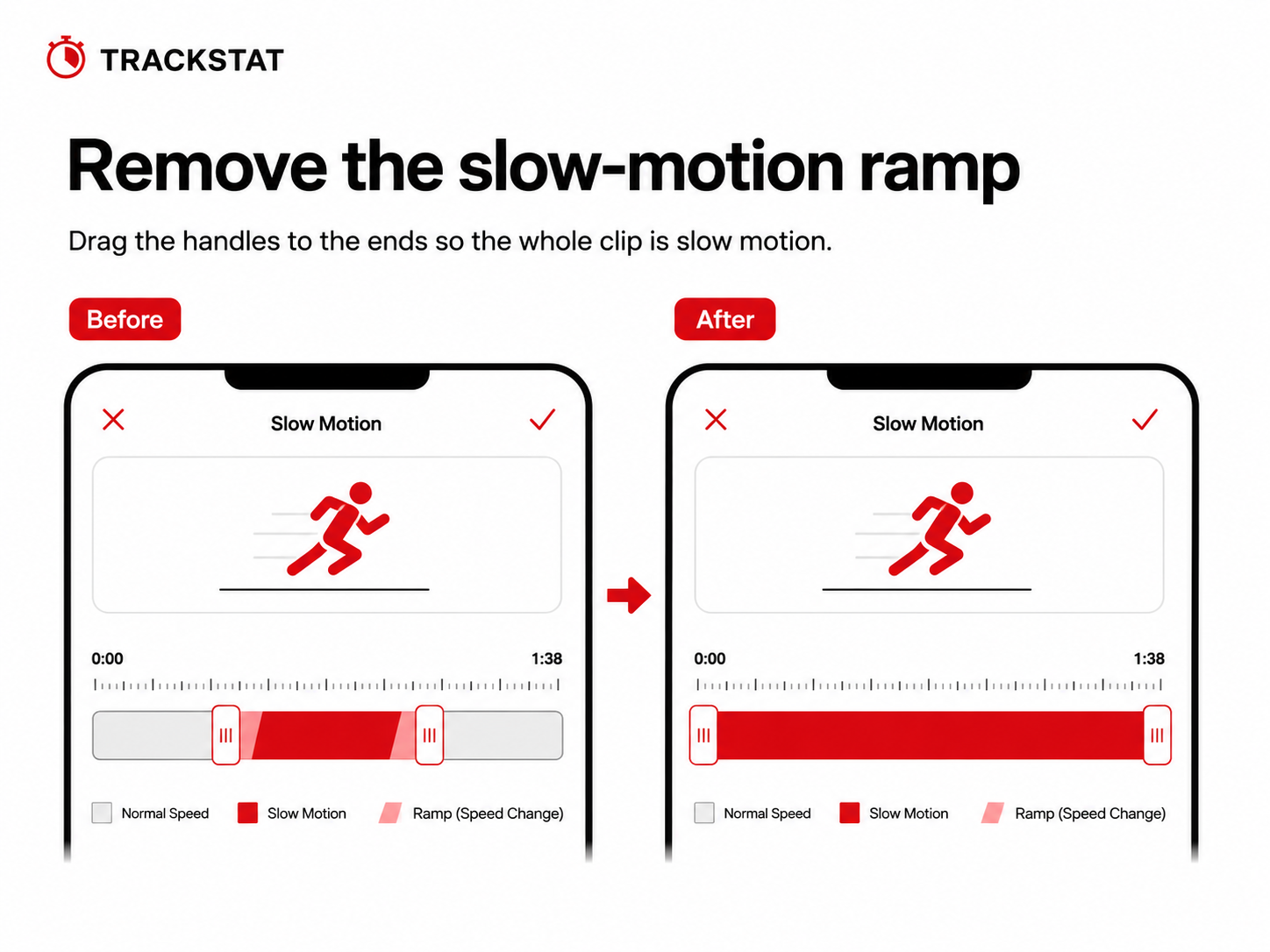
- Turn off the slow-motion ramp. Slow-mo clips on iPhone have a built-in “filter” — the speed ramps in and out, shown by the little bar/handles in the editor. Drag those handles so the entire clip plays at full slow-motion speed, with no normal-speed sections. Otherwise part of your rep is recorded at the wrong effective frame rate.
GoPro
GoPro is easier — with one rule:
- Copy the file straight off the SD card with a card reader (or plug the camera in via USB). The file on the card is the original — no special export setting needed.
- Don’t pull the clip to your phone through the GoPro app first. Going camera → phone → export re-compresses the footage, and you lose the frame-to-frame detail you filmed at high speed to get.
- GoPro records at a genuinely constant frame rate, which keeps your timing honest.
Trim to the rep
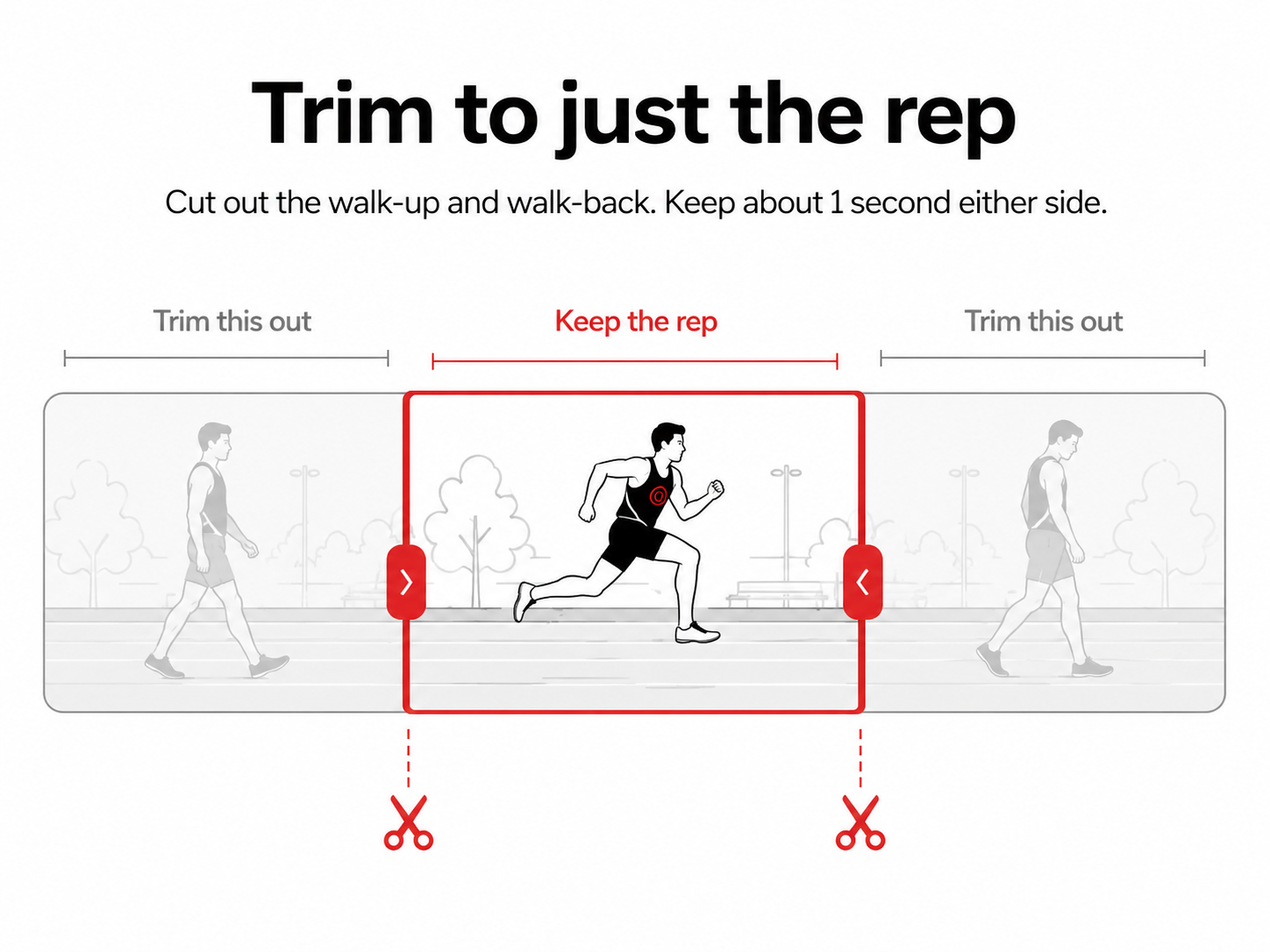
Whatever you filmed on, trim the clip down to just the rep:
- Cut out the walk-up, the waiting around, and the walk-back.
- Keep a second or so either side of the steps you care about.
- A shorter clip means a smaller file, a faster upload, and less to scrub through when you’re marking up.
Quick checklist
- Exported at full / unmodified quality (not shared/messaged)
- Slow-mo ramp removed — whole clip at slow-mo speed
- Trimmed to just the rep
- Smaller, clean file ready to upload
Get this right once and it becomes second nature — and every analysis you do afterwards is built on solid footage.